

Plans & billing
Blueticks has a Free plan and three paid plans: Basic, Standard and Pro. Pro is the only plan with always-on sending, so your messages go out even when your computer is off. You can try Pro free for 7 days without a card, and you can change or cancel your plan yourself in the app.
For current prices, see Pricing.
What each paid plan includes
| Basic | Standard | Pro | |
|---|---|---|---|
| Scheduled messages | Unlimited | Unlimited | Unlimited |
| AI credits each month, per user | 250 | 500 | 1,000 |
| API access | Yes, through the extension | Yes, through the extension | Yes, from the cloud |
| Unlimited boards and tasks | No | Yes | Yes |
| No “Powered by Blueticks” on campaigns | No | Yes | Yes |
| Always-on sending | No | No | Yes |
The Free plan sends while WhatsApp Web is open, lets you have up to 3 scheduled messages waiting at a time, gives you 2 boards with 10 tasks each, and adds “Powered by Blueticks” to campaigns. Buy Subscription shows a Compare plans table with the Free plan next to the paid plans.
Try Pro free for 7 days
The app offers a free 7-day Pro trial when you set up an always-on connection. It may also offer one when you reach the Free plan’s scheduling limit. No card is needed, and the trial ends on its own. Each account can use the trial once.
Buy or change a plan
Only the workspace owner sees Buy Subscription.
- In your account menu, open Buy Subscription.
- Choose Monthly or Yearly billing.
- Set your team size with the − and + buttons. The owner and each member take a seat, including members whose invite is still pending. Guests are free.
- Click the button on the plan you want, for example Upgrade to Pro, and finish the checkout. If you already pay, the buttons read Switch to Basic, Switch to Standard and so on, and your plan shows Your current plan.
You can upgrade, switch plans or change your team size from the same page at any time.
Invoices and payment details
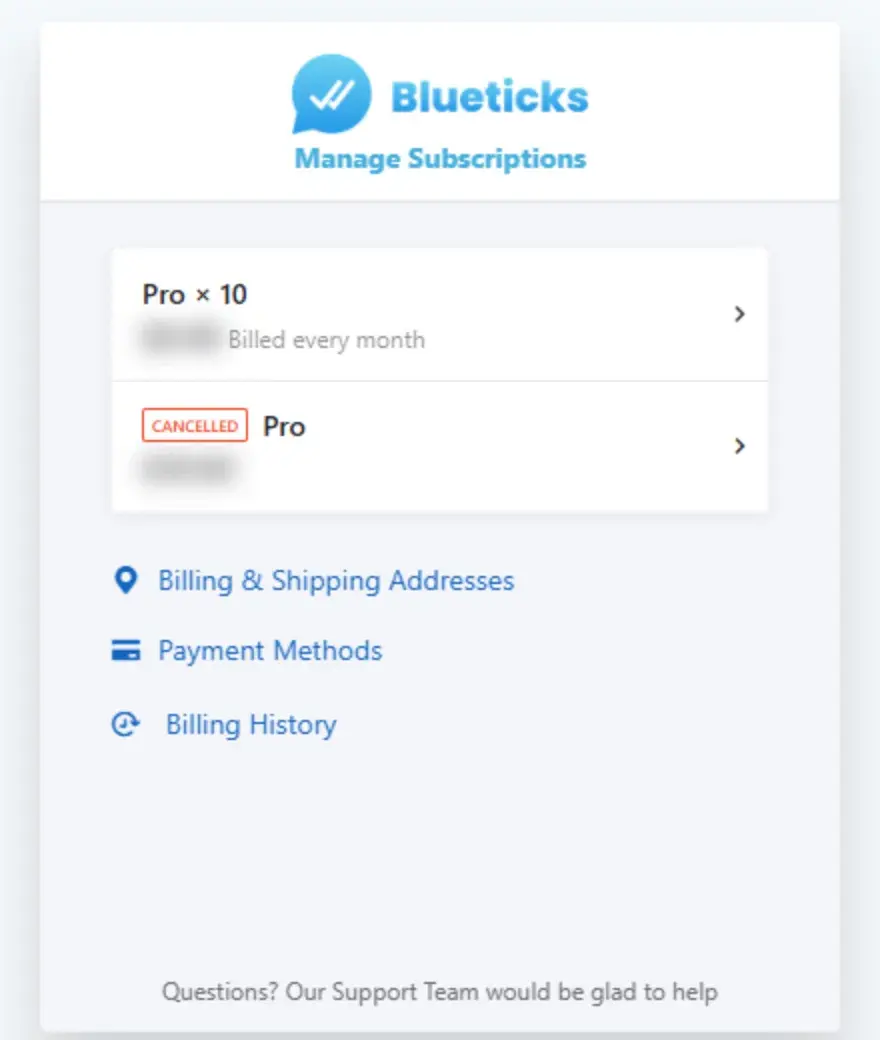
Open Admin Billing in your account menu (workspace owner only). It opens your billing portal, where you see your subscriptions and manage Billing & Shipping Addresses, Payment Methods and Billing History. For invoices from an older billing system, click View Old Invoices at the bottom of the page.
Cancel your subscription
- Open Buy Subscription.
- Under “Want to go back to the free plan?”, click Cancel subscription.
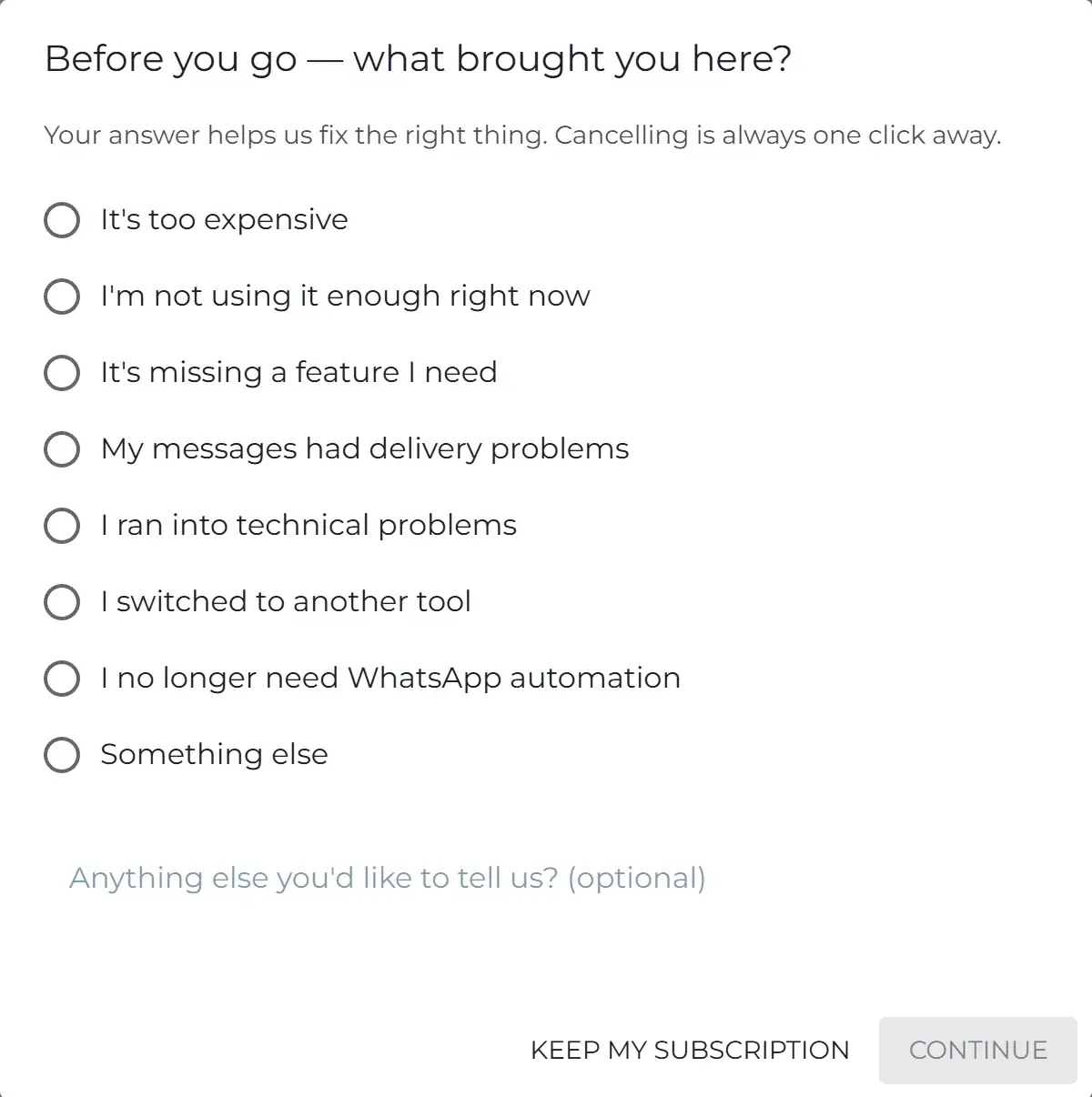
- Pick the reason that fits best and click Continue. Your answer helps us fix the right thing.
- You may see an offer, such as pausing your plan instead. To cancel anyway, click No thanks, cancel.
- Click Cancel subscription to confirm.
Your subscription stays active until the end of the current billing period, and you keep access until then.
Refunds
You can ask for a refund within 14 days of a subscription purchase. Email support@blueticks.co. Approved refunds go back to the original payment method. Requests made after 14 days aren’t refunded. The full policy is in our Terms of Service.
Related
- Credits & Usage: credits for AI Agents and flow bots.
- User Management: seats, invites and roles.