

Credits & Usage
Credits pay for AI work in Blueticks. AI Agents and flow bots draw from one shared credit balance. Paid plans include monthly credits for each user on the plan (see Plans & billing), so a team of 10 on Pro gets 10 × 1,000 = 10,000 credits a month, all in the same shared balance. They renew every month, whether you pay monthly or yearly, and you can buy extra credits at any time.
AI Agents are metered by model usage: a typical agent reply uses about 2-4 credits, depending on length and complexity.
See your balance
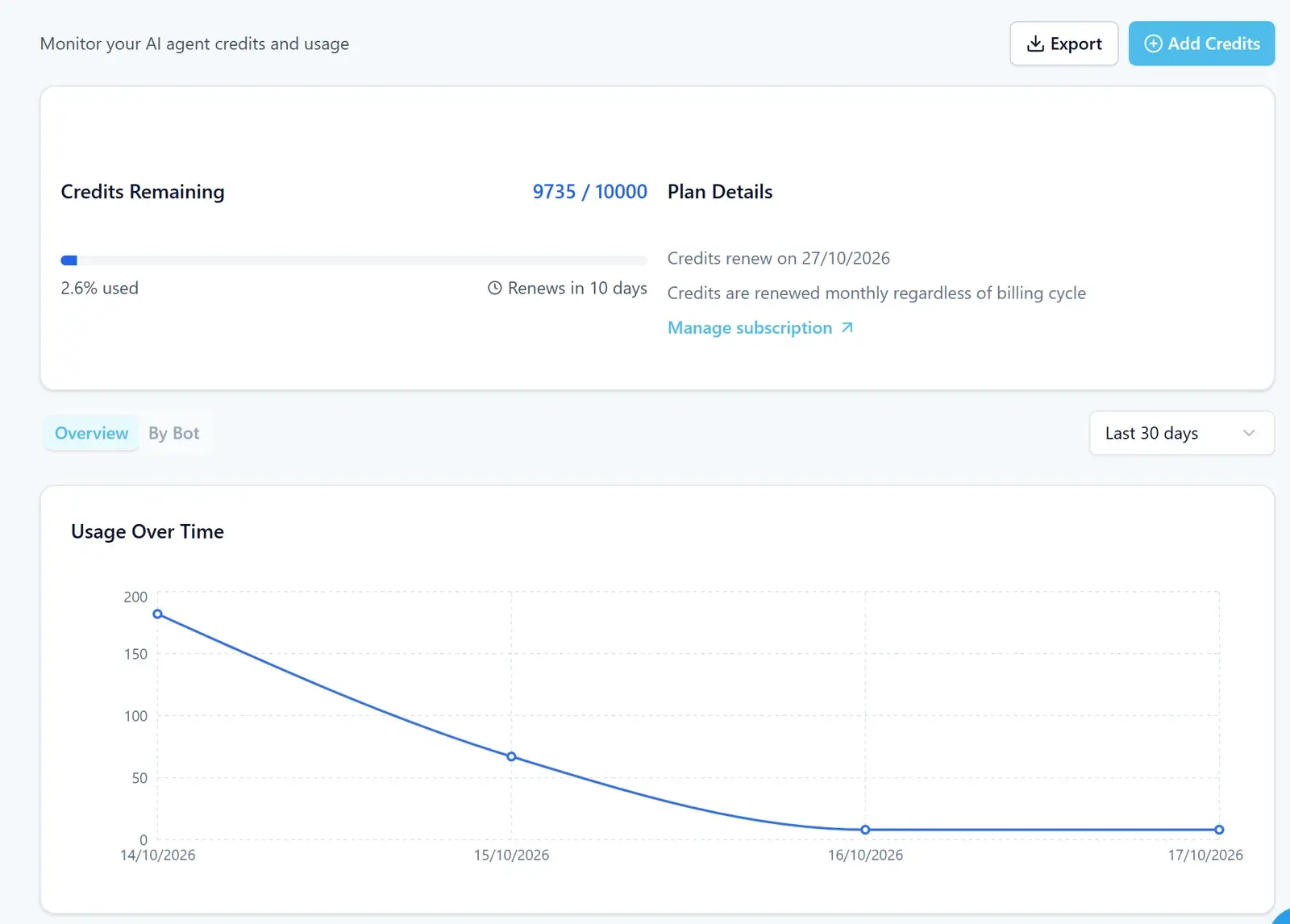
Open Credits & Usage in your account menu. Only the workspace owner sees this page. It shows:
- Credits Remaining: how many credits you have left, how much you’ve used, and Renews in a number of days.
- Plan Details: the date your Credits renew on, and a Manage subscription link.
- Usage Over Time: a chart for the Last 7 days, Last 30 days, Last 90 days or Last 12 months.
- Overview or By Bot: usage across everything, or per bot.
Click Export to download your usage.
Add credits
- On Credits & Usage, click Add Credits.
- Choose a credit package. Packages are one-time purchases.
- Click Continue to Checkout and finish the payment.
The credits are available right after you buy them.
What uses credits
- AI Agents: agent runs use credits from the shared balance.
- Flow bots: see Flow bots and credits below.
When you run low
The app shows a Low Credits warning when your balance runs low, and an Out of Credits warning when it runs out. When you’re out of credits, your agents may stop working until you add credits or your monthly credits renew.
Flow bots and credits
A flow bot conversation uses 1 credit the first time it does real work (for example, sends a message), and each AI model call uses 1 more.